Week 5: Build Sprint 1
| # | Mission | Time |
|---|---|---|
| 1 | 🗣️ Standup + Kanban | 40 min |
| 2 | 📝 User stories + acceptance criteria | 20 min |
| 3 | 🏗️ Architecture with AI | 25 min |
| 4 | 🚀 First prototype commit | remaining |
Mission 1 — Team standup + Kanban
Section titled “Mission 1 — Team standup + Kanban”Before anything else: get your whole team together. Everyone stands up — physically. Standing keeps it short because nobody wants to stand for long. Each person answers exactly three questions:
- What did I do since the last session?
- What will I do in this session?
- Any blockers? Something stopping me that I need help with.
What it sounds like:
“I wrote the user story for the feeding log. Today I’m adding acceptance criteria and breaking it into tasks. No blockers.”
That’s it. Thirty seconds. Move to the next person.
No problem-solving during the standup. If something needs discussion, write it down and come back to it after. The standup is for the team — not a status report to the teacher.
Use 2 min to time each person’s turn. Use 15 min to cap the whole standup. Use 25 min for the Kanban organisation phase that follows.
After the standup — 10 minutes on your Kanban:
- Move completed tasks to Done
- Make sure every Must-have has at least one task in the Doing column with a named owner
- Any task with no name on it — give it one now
How your team should split today
Section titled “How your team should split today”Most of your team is not ready to code yet — and that is fine. Jumping straight into code without solid user stories and acceptance criteria produces code you have to throw away. Here is the recommended split:
| Who | What |
|---|---|
| Most of the team (PM + Designer + User Researcher) | Refine the Brief if needed · Write or sharpen user stories · Add acceptance criteria · Confirm tech choices with AI (ask: “Is this stack realistic for our team in 4 weeks?“) |
| 1–2 developers | Explore and evaluate agentic coding tools — pick a real task from the Kanban board and try it in two different tools · Document findings in Dev Log |
This is not about coding faster. It is about making sure the code you eventually write solves the right problem.
AI tools worth exploring right now
Section titled “AI tools worth exploring right now”Cursor, Qwen Code, and GitHub Copilot all work as agentic assistants — you describe a task and they propose and write the code. They differ in how well they handle open-ended versus specific tasks, and in what works from inside China. See AI Coding Tools for a comparison.
GitHub Copilot Coding Agent (preview, April 2025) goes one step further: assign a GitHub Issue to Copilot, it writes the code autonomously and opens a pull request for your team to review. Your developers evaluate and merge — or reject. See the full guide: Copilot Coding Agent →
The key insight from every tool: they all work better when your task is specific and your acceptance criteria are written down. Which is exactly what the rest of the team is doing right now.
:::
How everything connects
Section titled “How everything connects”flowchart TD A["📋 PROJECT BRIEF\nproblem · users · why it matters"] --> B["🎯 MoSCoW — 3 Must-haves\ndecided in Week 4"] B --> |"one per Must-have"| C["📝 USER STORY + ACCEPTANCE CRITERIA\n━━━━━━━━━━━━━━━━━━━━━━━━━━━━━━\n'As [role], I want [action],\n so that [testable outcome]'\n\nAcceptance criteria:\nHow do you know it's done?\nCan a real user test it?"] C --> D["📊 KANBAN TASKS\n3–5 tasks per Must-have\nNamed owner · ≤ half a day each"] D --> E["🚀 FIRST PROTOTYPE\nWorking code · or even a sketch\nSomething a user can react to"] E --> F["✅ VALIDATE\n5 users test the story\npaper sketch is enough"]
style A fill:#1d4ed8,color:#fff,stroke:#60a5fa,stroke-width:2px style B fill:#0369a1,color:#fff,stroke:#38bdf8,stroke-width:2px style C fill:#15803d,color:#fff,stroke:#4ade80,stroke-width:3px style D fill:#b45309,color:#fff,stroke:#fbbf24,stroke-width:2px style E fill:#7c3aed,color:#fff,stroke:#c084fc,stroke-width:2px style F fill:#be123c,color:#fff,stroke:#fb7185,stroke-width:2pxUser story + acceptance criteria = your PRD (customer-facing: what users get and how you know it works)
Architecture + data schema = your Technical Documentation (builder-facing: how you build it — started in Week 4, continues all semester)
These are two different documents. Do not mix them. Your PRD describes the experience; your Technical Documentation describes the implementation.
What is the PRD, exactly?
Section titled “What is the PRD, exactly?”In Week 4 you used AI to generate an initial PRD with user stories, a feature list, and a rough architecture sketch. This week you deepen it — for each Must-have, you add acceptance criteria: specific, testable conditions that confirm the story is done.
| User Story | Acceptance Criteria | |
|---|---|---|
| Question it answers | Who needs this, and why? | How do you know it works? |
| Written by | Whole team | Whole team (PM leads) |
| Format | One sentence | 2–4 bullet points |
| Contains | Role + action + outcome | Measurable conditions, edge cases |
| Becomes | The validation test | The Kanban task acceptance definition |
The “so that [outcome]” clause of your user story is not decoration — it is directly what you measure when you validate. Write it like you will test it, because you will.
What good process looks like this week
Section titled “What good process looks like this week”This week is not about quantity of output — it is about quality of thinking. A team that writes two sharp user stories and tests one with a real person is doing better work than a team that writes ten vague ones and tests none.
| What you do this week | Why it matters | Where assessors look |
|---|---|---|
| Write user stories with a specific role and testable outcome | Forces you to think about real people, not imaginary users | PRD / Technical Documentation |
| Add acceptance criteria to each Must-have | Clear finish line for developers — no “is it done?” arguments | Technical Documentation |
| Break work into named Kanban tasks with owners | Individual contribution visible; prevents one person doing everything | Checkpoint 1 evidence |
| Book and run user sessions this week | Stories are hypotheses — test early, build less wrong | Validation Report |
| Record decisions in your Dev Log | Pathfinder sees your thinking; generic entries score low | Dev Log (7 required total) |
| Push commits with clear messages | Individual accountability — who did what, when | Technical Documentation / GitHub |
Worked example: MiaoLog 喵Log
Section titled “Worked example: MiaoLog 喵Log”MiaoLog is a fictional campus cat diary app used throughout this guide.
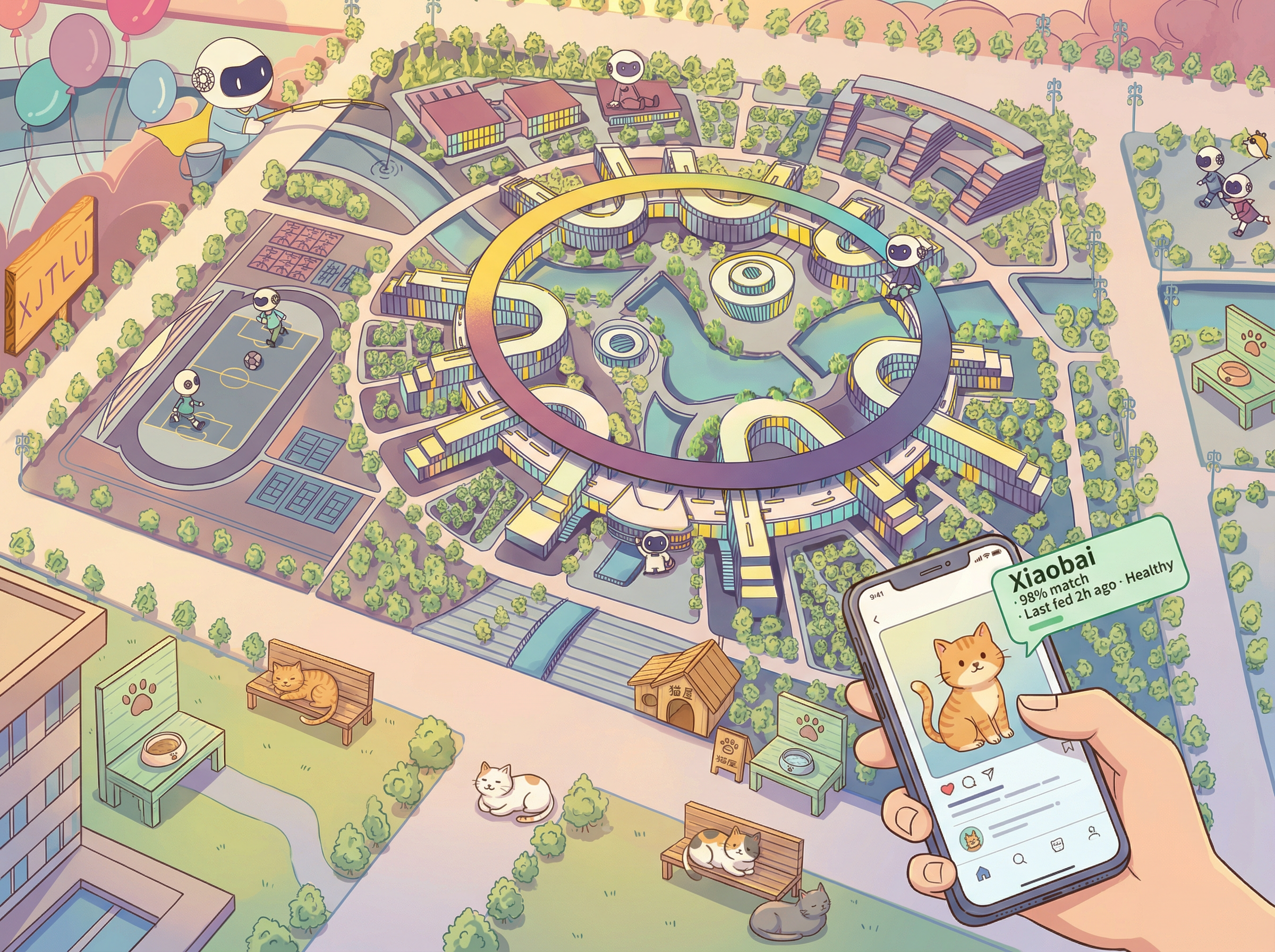
The brief: A Progressive Web App (PWA) for XJTLU campus cat volunteers. Volunteers track feedings, health notes, and sightings — replacing fragmented WeChat messages. The app works on mobile without installation. A stretch goal: point the camera at any campus cat and AI identifies it by name, showing its feeding history and health notes instantly.
Must-haves (agreed Week 4): 1) Cat profile · 2) Feeding log · 3) Health diary
Could-have (stretch): 4) AI photo identification — snap a photo, get the cat’s name and history
Step 1 — User stories: write now, test this week
Section titled “Step 1 — User stories: write now, test this week”A user story is a hypothesis. Write it from your Brief, then test whether real people agree.
Bad vs good:
| Bad ✗ | Good ✓ |
|---|---|
| “As a user, I want to log cat information." | "As a volunteer feeder, I want to record that I fed Xiaobai at 7pm with 100g of dry food, so that other volunteers can see she has been fed and won’t overfeed her." |
| "As an admin, I want to manage cats." | "As a group coordinator, I want to flag that Huahua hasn’t eaten in two days, so that someone with more experience can follow up before it becomes a health issue." |
| "As a user, I want to view cats." | "As a new volunteer, I want to see each cat’s recent feeding and health notes on one screen, so that I know what to look for before I walk around campus." |
| "As a user, I want to use AI." | "As a new volunteer who doesn’t know the cats yet, I want to take a photo of a cat I find on campus and have the app tell me its name, last feeding time, and any health notes, so that I can help without needing to ask someone every time.” |
Three Must-haves = three user stories minimum. One per Must-have. If your brief has a stretch goal involving AI or an interesting technical feature, write that user story too — it sharpens your thinking even if you don’t build it this sprint.
Step 2 — Acceptance criteria: make the outcome testable
Section titled “Step 2 — Acceptance criteria: make the outcome testable”Open your PRD (the document from Week 4). Under each user story, add acceptance criteria — 2–4 bullets that describe exactly how you would confirm the story works with a real user.
MiaoLog — Must-have 2 (feeding log):
User Story:  As a volunteer feeder, I want to record who fed which cat, when, and  how much, so that other volunteers can check before feeding.
Acceptance Criteria:  ✓ A volunteer can see the last 24h of feedings for any cat in under 5 taps  ✓ After logging a feeding, a confirmation message shows within 2 seconds  ✓ If two feeders log within 10 minutes for the same cat, a warning appears  ✓ In a 1-week trial: at least 4 out of 5 volunteers check the log    before deciding to feed
UI description (for the designer):  Cat selector → feeding form (time defaults to now, food type, amount)  → confirmation screen → return to cat profile
Notice: no database schema, no API routes, no Supabase.from() calls here. Those belong in your Technical Documentation. This document describes the experience; the other describes the implementation.
Now update your architecture (one section at the top of the PRD, or a separate linked document):
Architecture (confirmed Week 5):
Frontend: React (Vite) → deployed to VercelData + Storage: Supabase (PostgreSQL + file storage)  - Direct Supabase JS client from frontend (no separate backend needed)
Two platforms. Both free. Both accessible from China.Add Vercel serverless functions only if you needto call paid APIs with secret keys — most teams don't.Step 3 — Kanban tasks from acceptance criteria
Section titled “Step 3 — Kanban tasks from acceptance criteria”Each acceptance criterion that requires building something becomes a task. Keep tasks small — one person, less than half a day.
MiaoLog — feeding log tasks (from the acceptance criteria above):
| Task | Role | Estimate |
|---|---|---|
| Design feeding form in Figma (cat selector + fields + confirmation) | UX Designer | 1.5 hr |
Create feeding_logs table in Supabase with schema | Technical Lead | 30 min |
| Build feeding form component, connect to Supabase | Frontend Dev | 2 hr |
| Add duplicate-feeding warning (check last 10 min) | Frontend Dev | 1 hr |
| Test with 2 actual volunteers (User Researcher) | User Researcher | 45 min |
Add every task to your Kanban board with a name. Move one to “Doing” before you leave.
Step 4 — First prototype
Section titled “Step 4 — First prototype”Once a task is in Doing, write some code. The goal is not finished code — it is something a user can react to. A form that submits, a screen that shows data, a button that does something. Use this prompt pattern for AI assistance:
I am building [one sentence about your product].Stack: [frontend framework + Supabase, or your team's actual stack].
I need to implement this user story:"[paste your user story]"
Acceptance criteria:[paste your acceptance criteria bullets]
Generate the [component / function / table definition] for this.Include input validation and error handling.Add inline comments explaining each step.See AI Coding Tools for which tool to use at each stage. New to Git? The 100-second intro below covers everything you need for your first commit:
See also Git Basics for branch, commit, push, pull with commands you can copy.
Validation — plan this week, run in Week 6
Section titled “Validation — plan this week, run in Week 6”Your user stories are hypotheses. You do not need working code to test them — a paper sketch or Figma mockup is enough for the first round.
This week: your User Researcher identifies and contacts 2–3 real people. Agree a time in Week 6. Add names and dates to your Dev Log now.
Ask: “I’m going to show you a rough sketch of something we’re building. Can you tell me if it makes sense?” Then watch — don’t explain.
What you’re testing: does the “so that [outcome]” clause describe something that person actually cares about?
See the Validation Guide for the session guide and note template.
Scope check
Section titled “Scope check”Over 60% of teams entering Week 5 have scope or feasibility concerns flagged by their pathfinder. If yours did — this is the moment to cut.
The rule: if you cannot have a real user complete a task on this feature by Week 8, it is not a Must-have. Move it to Should-have and focus.
This week’s missions
Section titled “This week’s missions”Mission 1 — Standup + Kanban (whole team, 40 min)
Section titled “Mission 1 — Standup + Kanban (whole team, 40 min)”- Everyone stands up — three questions each, max 2 min per person
- Move completed tasks to Done on the Kanban board
- Every Must-have has at least one task in Doing with a named owner
- Unassigned tasks — give them a name now
Mission 2 — User stories (whole team, 20 min)
Section titled “Mission 2 — User stories (whole team, 20 min)”- Open your Week 4 PRD
- For each Must-have: write or refine the user story — specific role, specific action, testable outcome
- Ask: could you test this with a real person in 20 minutes? If not, rewrite it
- Add to Dev Log Week 5 entry
Mission 3 — Architecture + acceptance criteria (whole team, 25 min)
Section titled “Mission 3 — Architecture + acceptance criteria (whole team, 25 min)”- Under each user story, add 2–4 acceptance criteria (PM leads, everyone contributes)
- Confirm your architecture — one section in the PRD: which frontend framework, which database, where deployed
- Break each Must-have into Kanban tasks (3–5 each, names assigned)
- Note the two biggest technical risks in the Dev Log
Mission 4 — First prototype commit (developers, self-paced)
Section titled “Mission 4 — First prototype commit (developers, self-paced)”- Pick your first Kanban task. Move it to “Doing”
- Write your AI prompt — paste in your user story and acceptance criteria
- Review the output: can you explain every line?
- Get something running — even partially. Commit it to GitHub with a clear message
- Paste the commit link in your Dev Log entry
Validation (User Researcher, today)
Section titled “Validation (User Researcher, today)”Identify 2–3 real people and contact them now. Book sessions for Week 6. Confirm: name, date, time. Add to Dev Log.
Before you leave
Section titled “Before you leave”Four things to have done today:
- User stories + acceptance criteria in your PRD, linked from Dev Log
- Architecture confirmed (one paragraph or diagram in the PRD)
- At least one Kanban task in “Doing” with your name on it
- Two user sessions booked — dates confirmed, names recorded
Was this page helpful?